



Freevee, formerly known as IMDb TV, is Amazon’s free streaming service. It lets you stream thousands of hit movies, popular TV shows, heart-wrenching documentaries, and more on multiple devices including your FireStick.
Freevee is only available in the United States, and it’s supported by ads so that you can enjoy premium stuff for free. In addition, Freevee provides Freevee Originals, live 24/7 entertainment channels, and premium content.
However, if you’re looking to access Amazon Freevee from outside the US, you will need the help of a VPN service like ExpressVPN.
What is Amazon Freevee?
Freevee is a free, ad-supported streaming service that provides access to thousands of hit movies, popular TV shows, and documentaries. It was formerly known as IMDb TV. It is Amazon’s effort to compete in the growing market of ad-supported streaming services like Pluto TV and Tubi TV.
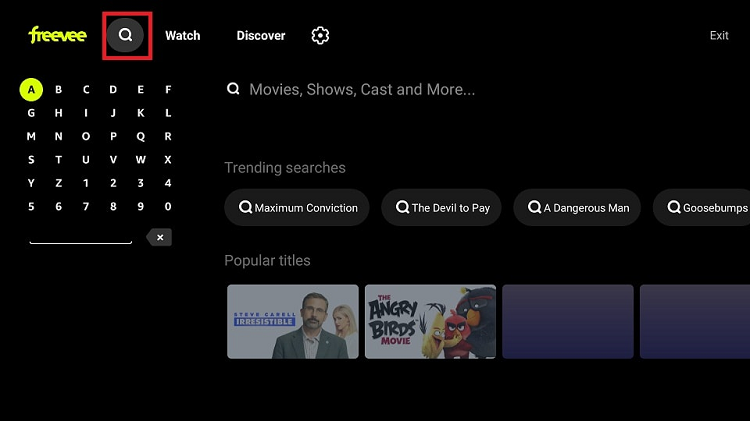
Available only in the United States, Freevee offers Freevee Originals, live 24/7 entertainment channels, and premium content. You can search for your favorite content on Freevee by title, genre, or cast, and explore trending searches and hot shows.

To access Freevee, you need a US Amazon account, and once you sign in, you can enjoy the free, on-demand content without a subscription fee. However, the service is ad-supported, meaning that commercials will appear during the viewing experience.
Unlike Amazon’s Prime Video service, which requires a subscription fee, Freevee offers a growing collection of exclusive TV shows and movies that you can watch for free, with some video ad breaks.
The service was launched in January 2019 as IMDb Freedive and was later renamed IMDb TV before undergoing a brand refresh in April 2022 to its current name, Amazon Freevee. The basic business model has remained the same, providing viewers with access to high-quality content without any subscription fee.
Features of Freevee
Here are some features of the Freevee app:
- The app offers free, ad-supported streaming of a variety of content.
- Allows users to create a personalized channel lineup based on their interests and preferences.
- Offers both live and on-demand content, including news, sports, and entertainment.
- The app includes interactive features such as trivia games and polls etc.
- Offers a selection of international channels and content.
- Does not require a subscription or login to access the content.
- Has a user-friendly interface that makes it easy to browse and discover new content.
- Can be accessed through the app or through various other platforms, such as Roku and Amazon Fire TV.
- Offers high-quality streaming of content, with many channels available in HD.
- It adds new channels and content regularly, keeping the lineup fresh and up-to-date.
How to Install Freevee on FireStick?
Here’s how you can install Freevee on FireStick:
- On your FireStick Home screen and go to Find then click on Search.

- Type and Search for the Freevee app.
- Select the first option under Apps & Games category.

- Click on Download or Get to begin downloading.
- Wait for the app to finish installing.
- Click open to launch the application.
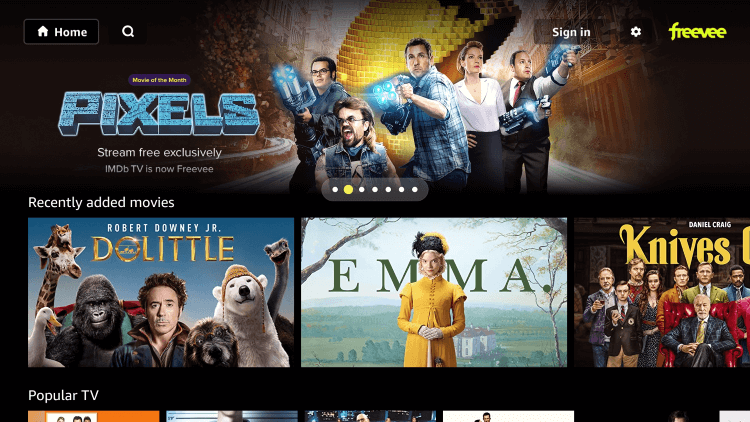
You have successfully installed the Freevee app, and now you can sign in and enjoy streaming.
How to use Freevee on FireStick?
To fully enjoy a safe and seamless streaming experience, it is essential to familiarize yourself with all the features of the Freevee app after completing the installation.
Here’s how you can do that:
- Launch the App and wait for the app to load.
- Click the Search icon and choose your favorite movie.
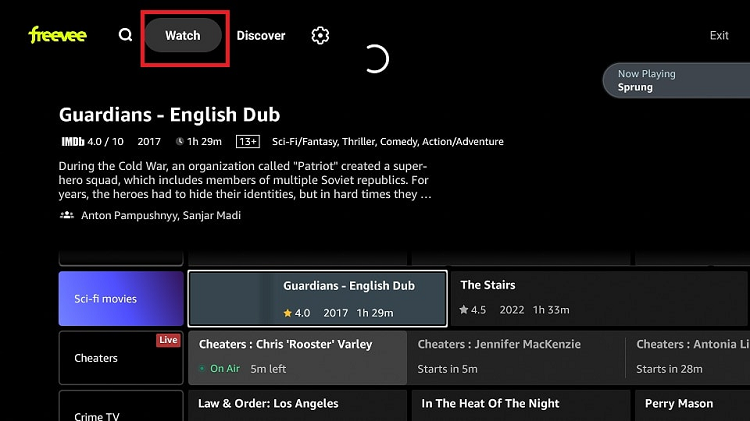
- Click Watch to start streaming.
- Click Settings to personalize the app.

- Select Language & Keyboard in Settings to choose your preferred language.
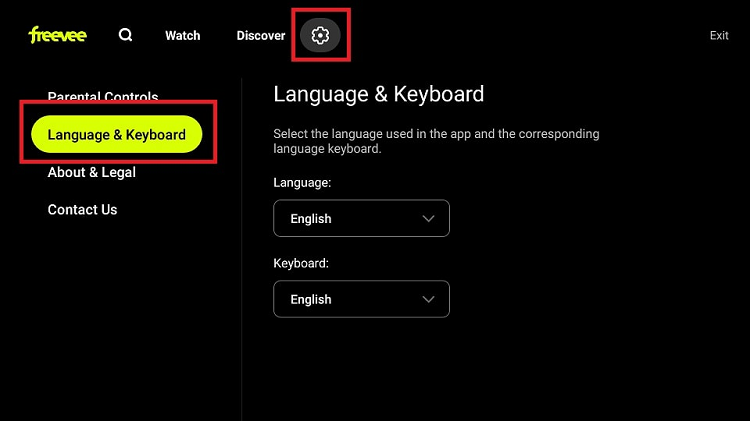
- Click Parental controls in Settings and set limitations for your children, if any.
- Click Exit to leave the app.
How to Install Freevee on Android TV?
To install the Freevee app on your Android TV, you can follow these steps:
- Turn on your Android TV and navigate to the Google Play Store.
- Use the search bar to search for “Freevee.”
- Select the Freevee app from the search results.
- Click on the “Install” button to begin the installation process.
- Once the installation is complete, click on the “Open” button to launch the app.
Why do you Need a VPN to Stream Freevee on FireStick?
Freevee is only available in the US, since Freevee has not secured the necessary licensing agreements to stream certain content in certain areas, or if the app has been blocked by a particular country’s internet service providers.
If you’re having trouble accessing Freevee on FireStick from your location, you may want to try using a VPN like ExpressVPN to bypass the geo-restrictions. However, it’s important to note that using a VPN to access geo-restricted content may violate Freevee’s terms of service, and may not be legal in your country or region.
Here’s how you can get ExpressVPN with these quick steps:
How to Install ExpressVPN on FireStick?
- Get ExpressVPN for FireStick.
- Download & Install the app on your device.
- Launch the app and connect to a US server.
- Launch Freevee & enjoy streaming.
Freevee Alternatives
Here are some alternatives to Freevee streaming service:
Frequently Asked Questions
What to Watch on Freevee?
If you’re looking for original programming to watch on Freevee, then here are some options to consider:
- Bosch: Legacy
- Judy Justice
- Leverage: Redemption
- Alex Rider
- Pretty Hard Cases
- Sprung
- Play-Doh Squished
What devices can Freevee be installed on?
Freevee can be installed on a variety of devices, including Amazon Fire TV and Fire TV sticks, Android phones, and tablets, Apple iOS phones and tablets, Roku streaming devices, Google TV devices, Android TV devices, PlayStation 4 or PlayStation 5, Xbox One or Xbox Series X/S, LG smart TVs, Samsung smart TVs, and Xfinity.
Does Freevee require registration?
Yes, Freevee requires registration to access its content. You need to create an account on Freevee using your Amazon account to stream movies, TV shows, and other content on the platform. If you don’t already have an Amazon account, you will need to create one to sign up for Freevee.