



FMovies is a popular online streaming platform that offers a wide array of movies and TV shows for viewers to enjoy. This article aims to delve into what FMovies is all about, highlight its features, discuss the reasons behind its unavailability outside of the US, provide guidance on signing up for FMovies outside the US using ExpressVPN. And it will also offer a step-by-step installation guide for FireStick. Additionally, we will explore the usage of FMovies TV on FireStick and discuss its compatibility with other devices.
FMovies TV is an online streaming service that provides a large selection of movies, series and shows from various genres. It lets users stream their favourite content directly from their devices, making it a popular choice for entertainment enthusiasts worldwide. It is important to use a reliable VPN like ExpressVPN before using it on FireStick.
How to Install FMovies on FireStick
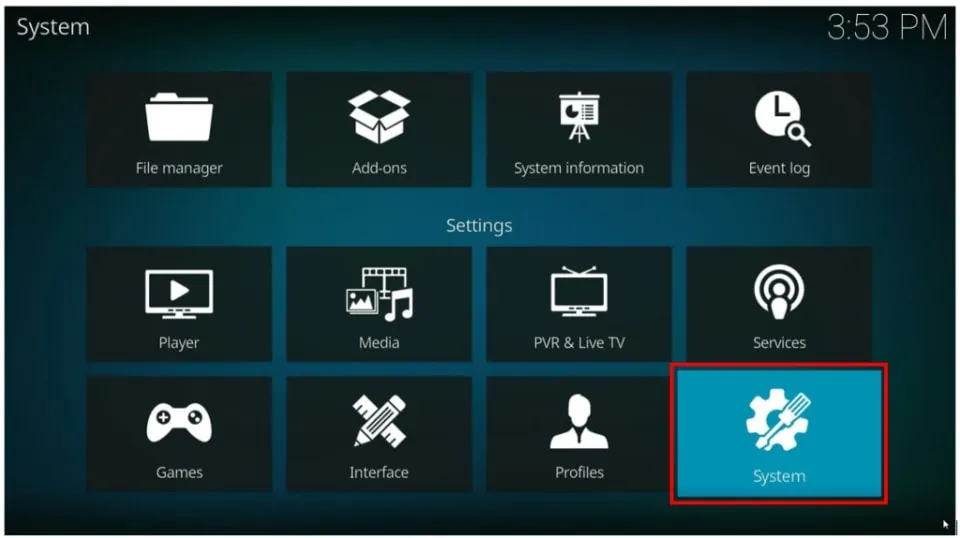
Installing FMovies TV on FireStick is a straightforward process. Here’s a step-by-step guide:- Go to “Settings” from the FireStick homepage.
- Select “My Fire TV” or “Device” (depending on your FireStick version) and choose “Developer Options.”
- Enable “Apps from Unknown Sources” and confirm your selection.
- Navigate to the main home screen and search for the “Downloader” app in the search bar.
- Install the Downloader app and launch it.
- Enter the URL of the FMovies TV APK file in the Downloader app and download it.
- You need to use this link https://mobapks.com/entertainment/fmovies-apk/
- After downloading, select “Install” to install the FMovies TV app on your FireStick device.
- Select “Open” to launch FMovies TV once the installation is finished.
How to Use FMovies on FireStick
Using FMovies TV on FireStick is simple and user-friendly. Here is a little primer to get you going:- Open FMovies TV from the “Your Apps & Channels” section on your FireStick home screen.
- To find certain films or TV shows, look through the categories or use the search bar.
- Select the desired content to access its details page.
- On the details page, you can play the content, view additional information, or add it to your watchlist.
- Select “Play” to stream the selected movie or TV show.
- Use the playback controls to pause, resume, fast-forward, or rewind.
- Enjoy a seamless streaming experience with FMovies TV on your FireStick device.

Features of FMovies
- Extensive Library: FMovies boasts a vast library of movies and TV shows, ensuring there is something for every viewer’s preference.
- User-Friendly Interface: The platform has a user-friendly layout that makes it aesthetic and easy for users to explore and navigate the offered content.
- High-Quality Streaming: By providing high-quality streaming, FMovies enables users to watch their preferred films and TV series in sharp detail.
- Multiple Genres: The platform covers various genres, including action, drama, comedy, romance, and more, catering to diverse viewer preferences.
- Search and Filter Options: FMovies provides search and filter options, enabling users to quickly find specific movies or TV shows.
- Subtitles and Language Options: The platform supports subtitles and offers content in multiple languages for a global audience.
Why is FMovies Unavailable Outside of the US?
FMovies TV may be unavailable outside the US due to regional restrictions and licensing agreements. Streaming platforms often have licensing agreements that limit their content distribution to specific regions or countries. As a result, FMovies TV may not be accessible outside of the US without a reliable VPN like ExpressVPN.How to Sign up for FMovies Outside of the US with ExpressVPN
To sign up for FMovies outside of the US, you can follow these steps using ExpressVPN:- Subscribe to ExpressVPN by visiting their official website and selecting a suitable subscription plan.
- Install the ExpressVPN app after downloading it.
- Open the application and login in using your ExpressVPN account credentials.
- Connect to a US server location from the available server options.
- Once connected to a US server, visit the FMovies TV website.
- Click on the sign-up or create an account option.
- Fill in the required details, including your email, password, and other important information.
- Complete the registration process as prompted.

Why is Express VPN a must?
ExpressVPN is essential for streaming movies on FMovies TV, especially if you’re outside the US. You can get around geographic limitations and access FMovies TV everywhere using ExpressVPN. Here’s why ExpressVPN is a must-have for streaming on FMovies TV.- FMovies may have limited availability outside the US due to licensing agreements and regional restrictions. However, by using ExpressVPN, you can connect to VPN servers located in the US. This allows you to mask your IP address and appear to be accessing FMovies TV from within the US, bypassing the geographical restrictions and enjoying free streaming.
- With ExpressVPN, you can stream movies from anywhere in the world. ExpressVPN provides a secure and private internet connection for streaming movies on FMovies TV. It encodes your internet traffic and hides your IP address, making it hard for third parties to monitor your online activities. This ensures you can stream movies from FMovies TV with peace of mind, regardless of location
What Other Devices Can FMovies Be Installed On?
Apart from FireStick, FMovies TV can be installed and enjoyed on various devices, including:- Smartphones and tablets (iOS and Android)
- Computers (Windows and macOS)
- Smart TVs (Samsung, LG, Sony, etc.)
- Streaming devices (Roku, Chromecast, Apple TV, etc.)
- Web browsers (Chrome, Firefox, Safari, etc.)
Frequently Asked Questions
-
Can I share my FMovies account with others?
Sharing your FMovies TV account with others is not officially supported by the platform. Each FMovies TV account is typically intended for individual use. Transmitting your account credentials with others may violate the platform’s terms of service. It’s important to note that unauthorized sharing of accounts may lead to account suspension or termination. Therefore, using your FMovies TV account only for personal use and not sharing it with others is advisable. -
Are there any age restrictions on FMovies?
Yes, FMovies TV may have age restrictions on certain content. As an online streaming platform that offers a wide array of movies and TV shows, some of the content available on FMovies TV may contain mature or adult themes. It is advised that parents or guardians supervise and keep an eye on what their children watch on FMovies TV to prevent younger viewers from viewing unsuitable content. Additionally, FMovies TV may include content ratings or provide parental guidance information to help viewers make informed decisions about the suitability of certain movies or TV shows for different age groups. -
Does FMovies support offline viewing?
No, FMovies TV does not currently support offline viewing. You must have an internet connection to watch films and television shows on FMovies TV. The platform operates on a streaming model, where content is delivered in real-time over the internet. This means you can only access and stream content from FMovies TV while connected to the internet. Offline viewing, where you can download movies or TV shows to enjoy later without an internet connection, is unavailable on FMovies TV.