



Dofu Sports is an online live sports streaming service that allows users to watch all types of sports from anywhere in the world. Looking at stats, and clips, reading the news, or watching highlights of a match doesn’t provide the same experience as watching and enjoying it live. This can only be done when you are using a reliable sports streaming service such as Dofu sports.
No sign-ups or subscription is required as the site is free of use, but the downside is that it has ads on it.
Dofu sports is not available in app stores because it has some legality issues; still, its APK file can be downloaded to make it accessible on your device.
Always Use a VPN with Dofu Sports
When you connect to a VPN, your online identity gets hidden, allowing you to evade the limitations as well as the threats that lurk in cyberspace. With a VPN, you will also remain safe from all legal limitations and troubles. Get ExpressVPN for a secure streaming experience when using third-party apps on FireStick.
How to Install Dofu Sports on FireStick?

Dofu Live Stream must be sideloaded via Downloader because it is a third-party application.
If you’re not aware, the Downloader app simplifies the sideloading procedure and is accessible in the Amazon App Store. Firstly, we will discuss how to get the downloader app on the Amazon FireStick:
Get the Downloader App.

Follow the steps mentioned below to get the downloader app
- On the FireStick home menu, select the “find” option.
- Go to the search option and type in “Downloader.”
- Select the first option, which appears under “apps and games.”
- Download and install the downloader app.
Enable Installs from Unknown Sources
- As the installation procedure is ongoing, go to the settings and then to the My Fire TV.
- There select the developer options, and enable “install unknown apps.”
- Allow the downloader app to install unknown apps.
Install Dofu via APK
- After the downloader app is installed on your FireStick TV, look for the search bar on it.
- Now there are a number of ways of downloading the APK file of Dofu Sports. The simplest way of getting the Dofu Sports app on FireStick is by writing or pasting the link: http://dofustream.com/apps.
- Move down and select the option “APK Pro.”
- The downloading procedure will initiate. After which, the option to install it will appear.
- After this, you will need to either enter login details or create an account.
- Now you are free to stream all your favorite sports matches on FireStick TV.
What to Watch on Dofu Sports?
All popular sports, such as:
- Football,
- Hockey,
- Basketball,
- Baseball,
- NFL,
- And more are available on the Dofu Sports app.
Alternatives to Dofu Sports
Although it is one of the best live sports streaming sites in the market, there are some popular alternatives to Dofu Sports:
- StreamEast
- MethStreams
- SportSurge
- Facebook Watch
- Peacock TV
- Stream2watch

People who have used free sports streaming sites for a number of years may already be familiar with Stream2Watch. There are live streams available for thousands of sports, including Boxing, Hockey, Basketball, Football, Soccer, Tennis, Golf, Rugby, and many more. They have an estimated 250,000 visitors every month.
- CBS Sports
- Pluto TV

StreamEast tops our list of the best free sports streaming sites. After testing this website for several weeks, our reviews team had no choice but to rank StreamEast at the top. This is a high-quality streaming website that provides live streams for Football, Baseball, Basketball, Boxing, MMA, Hockey, and much more.
The website MethStreams, a copy of the formerly well-known CrackStreams, is swiftly gaining popularity among sports lovers. This sports streaming website offers thousands of live streams in many different sports, including baseball, basketball, boxing, MMA, pro football, college football, and much more.

For a number of reasons, SportSurge is among the top websites for viewing free sports. This website has sections for boxing, hockey, motorsports, mixed martial arts, football, basketball, and other sports. One of the best things about this website is that you won’t see adverts when browsing on the main interface, even though you might see them while watching live feeds.
Another well-liked platform for streaming different sporting events is Facebook Watch. However, in order to use this feature, you do need a Facebook account. Baseball enthusiasts will love Facebook Watch because it offers a free MLB game every week throughout the regular season. It occasionally also has access to football leagues like La Liga and the Italian league. It frequently streams cricket tournaments as well.
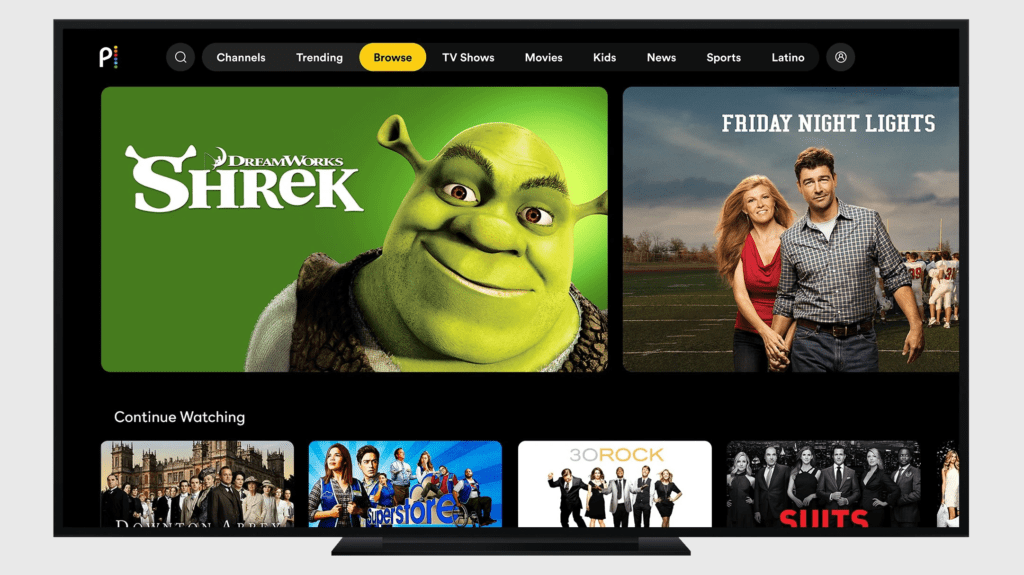
Peacock TV has a big selection of sports programs even though it isn’t particularly well recognized for its sports programming. This covers divisions for the NFL, NBA, MLB, NBA, IndyCar, Supercross, Rugby, and many other sports. Peacock TV’s superb user design, device compatibility, access to only NBC Sports, and other features make it the best streaming service available.


Sports-related videos and news are available on CBS Sports, which is also a free sports streaming site. Furthermore, CBS Sports also offers a mobile app that allows you to follow live sporting events without having to be at home. You will be required to create an account before you can stream content on CBS.

This popular streaming app offers a diverse selection of sports content, even though Pluto TV isn’t best known for its sports content. Pluto TV offers a variety of sports channels, including CBS Sports, Golf Channel, MLB TV, Impact Wrestling, Bellator MMA, and more.
Always use a VPN with Dofu Sports.
Using a VPN is a must while streaming or surfing the internet. You’ve taken more than just your ISP inside your home, which could be a risk. Unfortunately, a lot of our favorite apps and web services, most notably Facebook, have come under fire for how it has handled, or more accurately, mishandled users’ data.
A VPN will stop websites and apps from linking your online activity to your computer’s IP address. Additionally, it can restrict who can access your location and browsing history. Once connected to a VPN, you can remain safe from all limitations and restrictions put on your connection by your ISP. This allows you to access anything online without the fear of getting penalized for it.
Best VPN for FireStick
To overcome such problems, and to have a good streaming experience, use a high-end and renowned VPN like ExpressVPN. Using its services is highly convenient and easy; the installation procedure is listed below:
- From your apps store, install and download ExpressVPN.
- Subscribe to its services.
- Connect to a number of great servers available on the site.
- Enjoy your sports matches without any issues.