



We all can agree that cable TV is sometimes quite costly and not affordable for everyone. This is the reason many people now prefer to switch to IPTV programs. These IPTV programs have facilitated many entertainment consumers by offering an amazing variety of live TV channels and other streaming programs.
If you are one of the consumers looking for an inexpensive offer, Set TV can be a great choice.
What is Set TV?
Set TV is an IPTV application that offers 500+ live TV channels and a variety of movies. You can stream live TV via an internet connection if you download the Set TV app on a compatible device. In our case, we will talk about the method of installing Set TV on a FireStick.
Stream any of your favorite channels in HD quality. There are separate sections for TV, movies, EPG, Catchup, and other categories. Thanks to the user-friendly layout, you may easily go to the many Set TV categories. The Set TV software lets you schedule episodes of various channels to watch later.
Is Set TV on FireStick?
No, this is the reason you are advised to use the VPN while streaming the Set IPTV app on FireStick. However, before you go for the streaming, you must install the app through unknown sources. You will have to download the app through a downloader by tweaking a little from the settings of a Fire TV.
How to watch Set TV on FireStick
It is easy but tricky. But nothing to worry about as we will show you the complete steps to install Set TV on FireStick.
- Launch FireStick Home. Select the settings button.
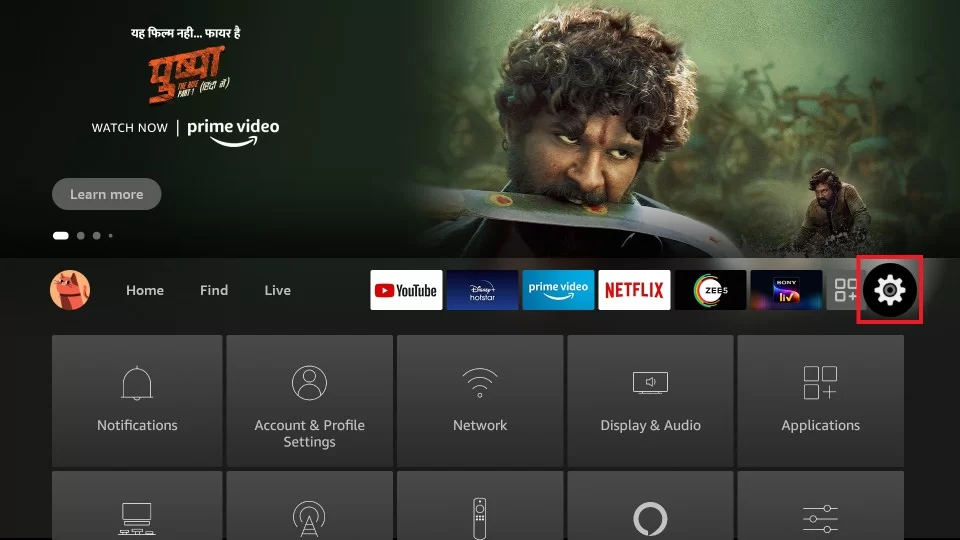
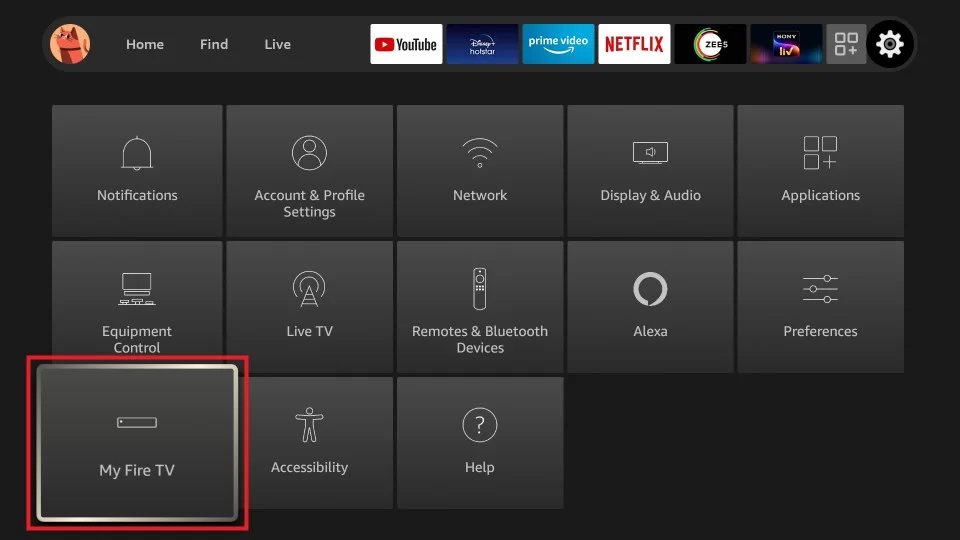
- Navigate My Fire TV.
- Select developer options.
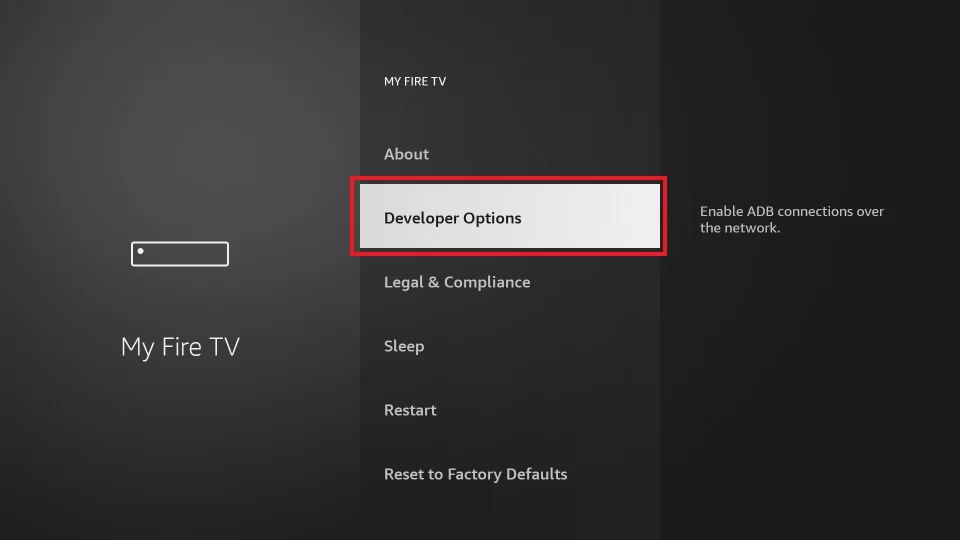
- Tap the Install Unknown apps” button and turn it on.
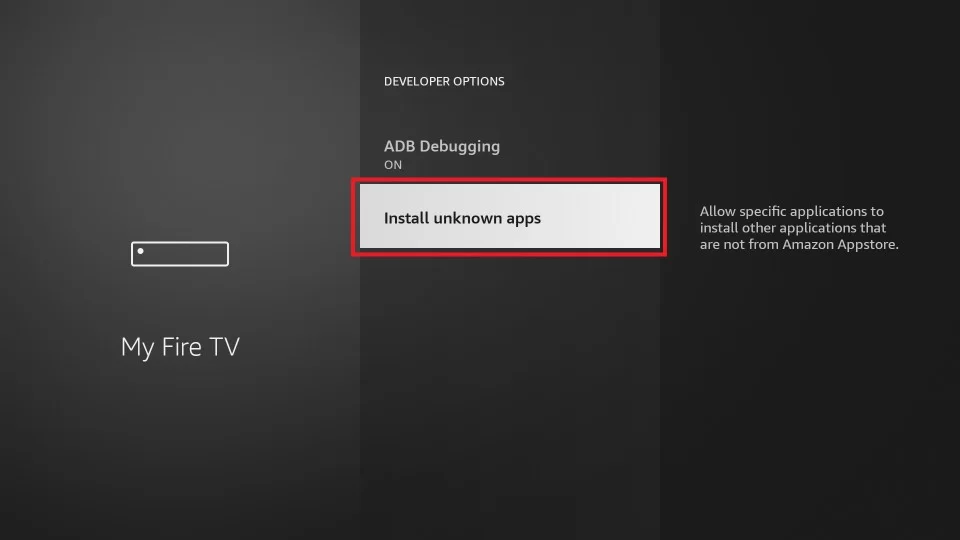
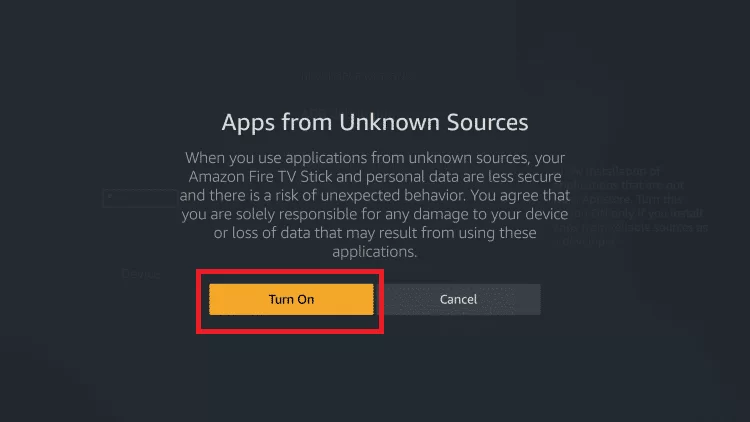
- Return to the homepage and click the find menu option. Select “Search” from the menu.
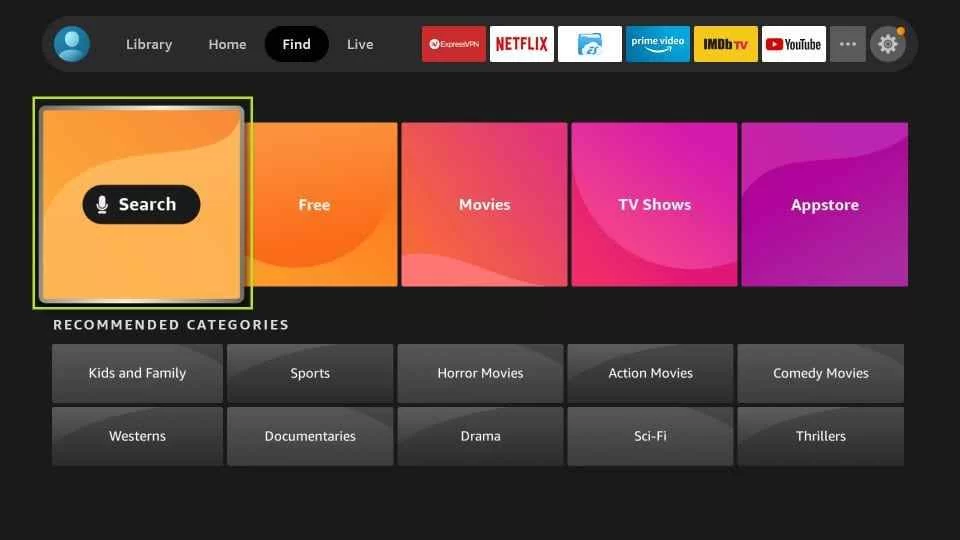
- Choose “Downloader” from the list after typing it.
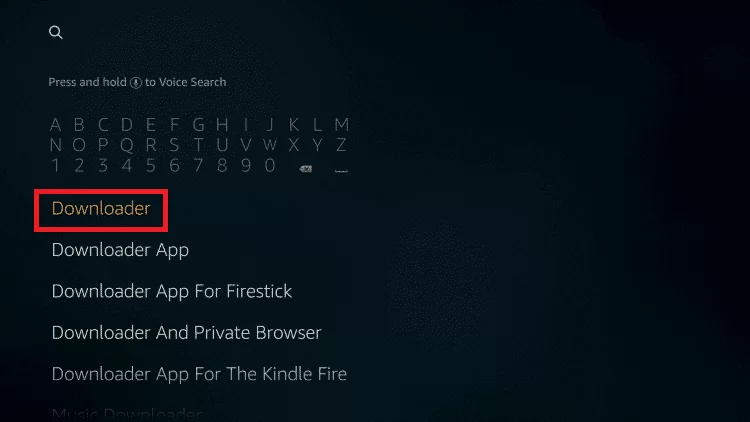
- Select the downloader icon.
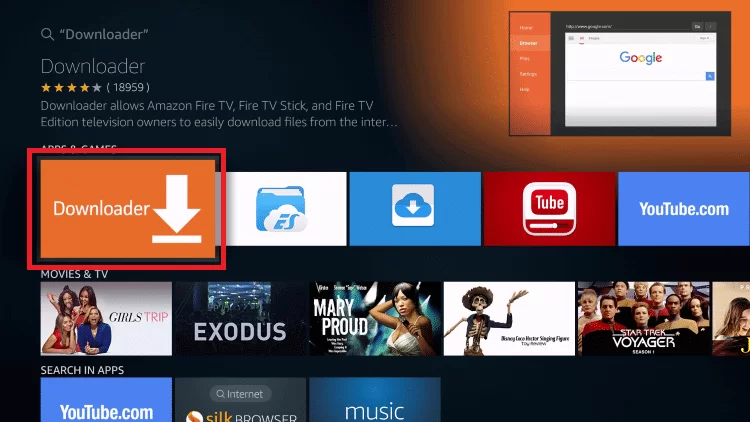
- After clicking “Download,” wait until the app is installed.
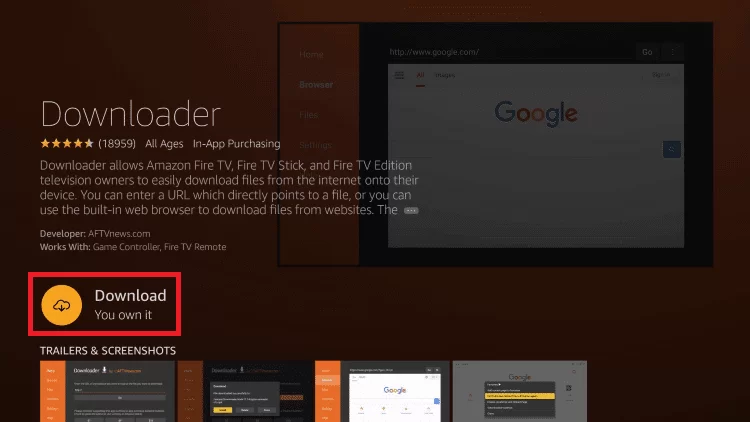
- To launch the downloader app, click open.
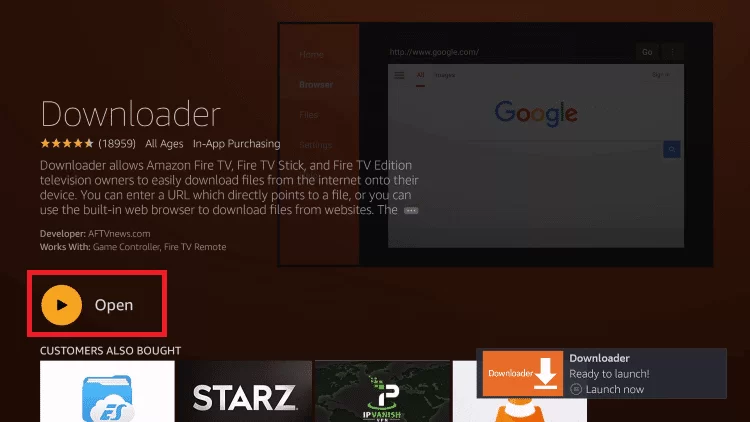
- Click allow after the downloader is open.
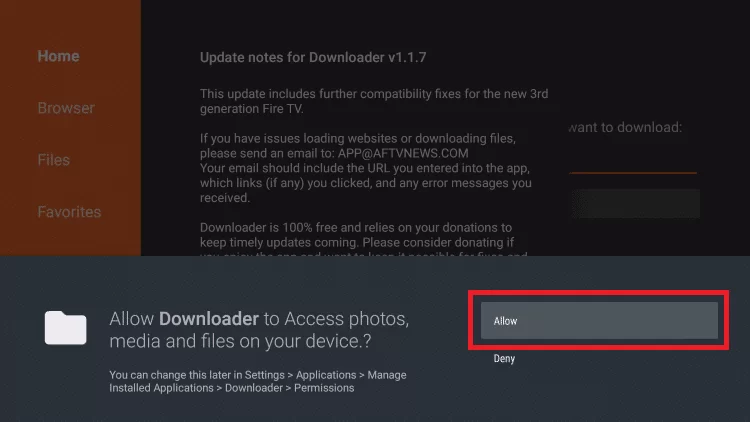
- Go back to the home screen and opens the Downloader app from your apps and channels section.
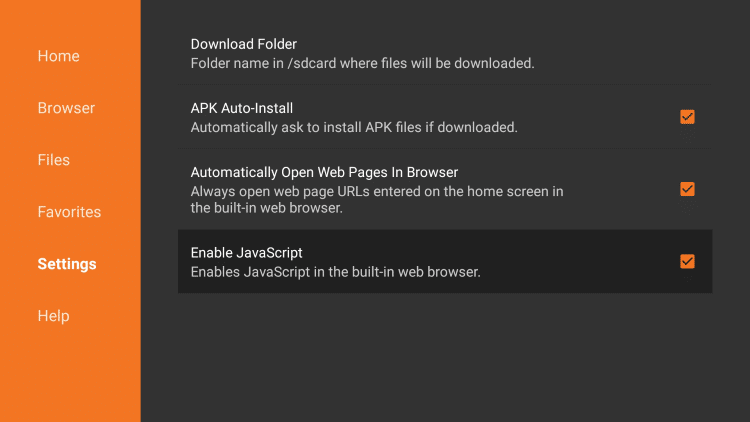
- Click on Settings from the left pane and choose Enable Javascript option.
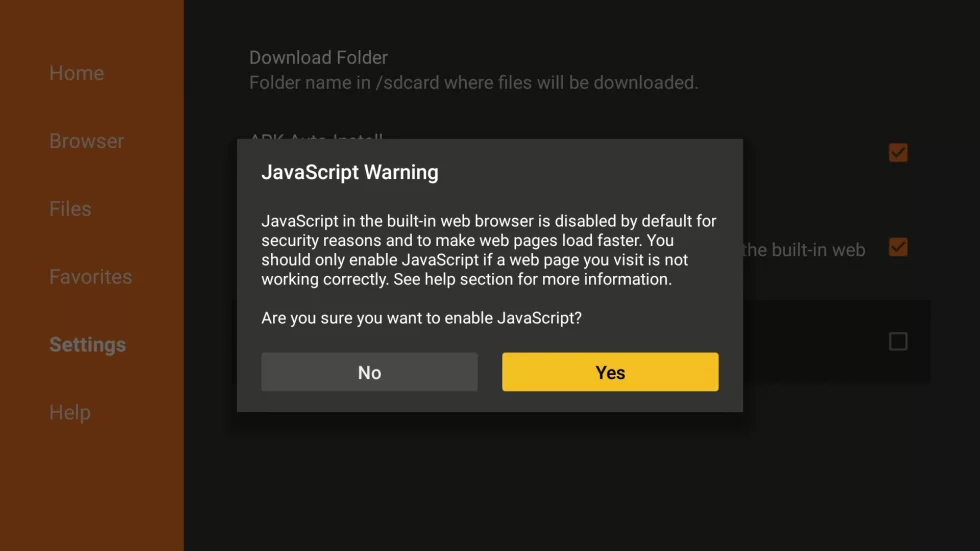
- Click Yes to enable this option.
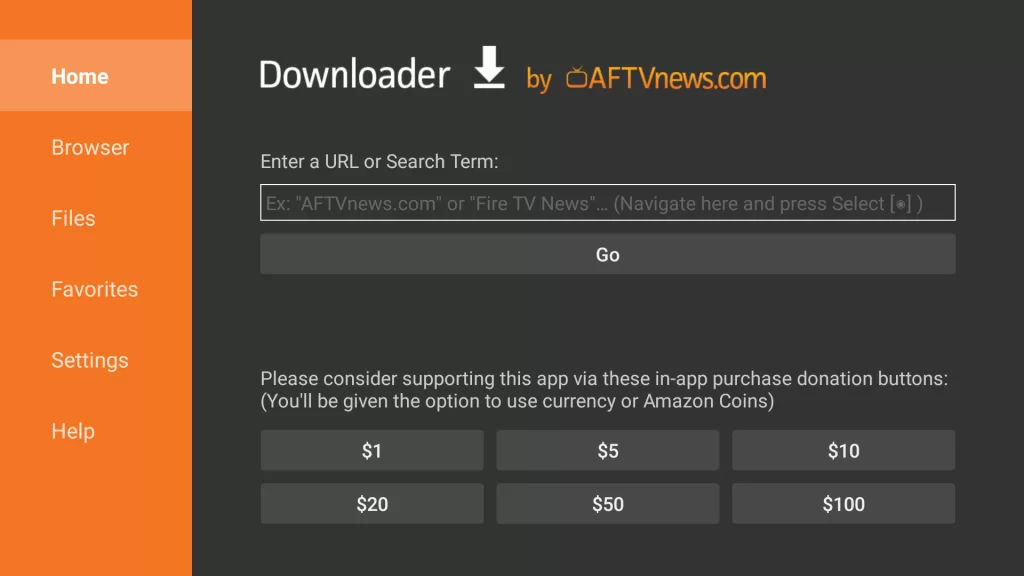
- Enter the APK URL (https://bit.ly/3yfTs7X) in the Downloader address bar and click Go.
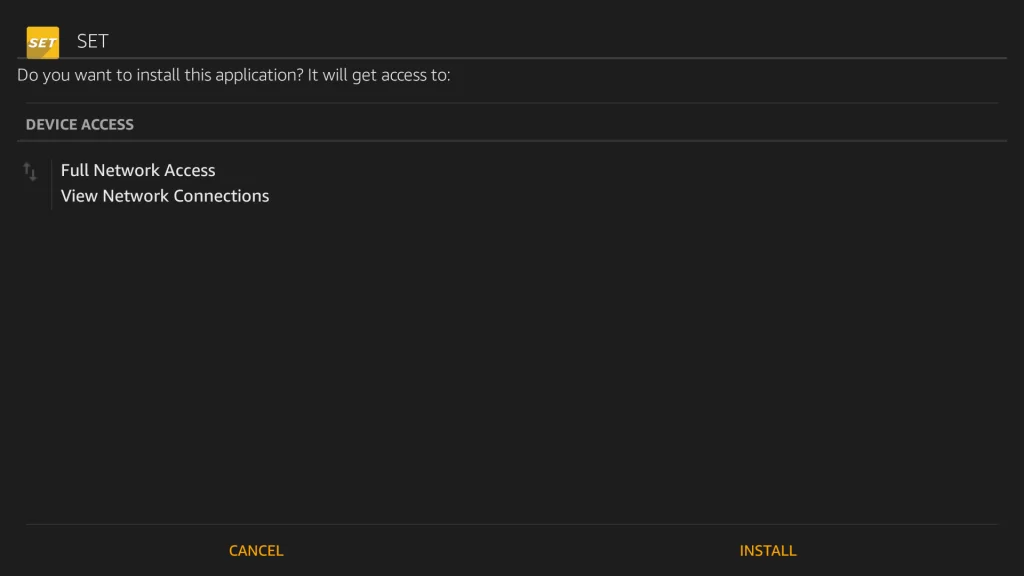
- The Set TV IPTV APK download will begin. As soon as the download is finished, click Install.
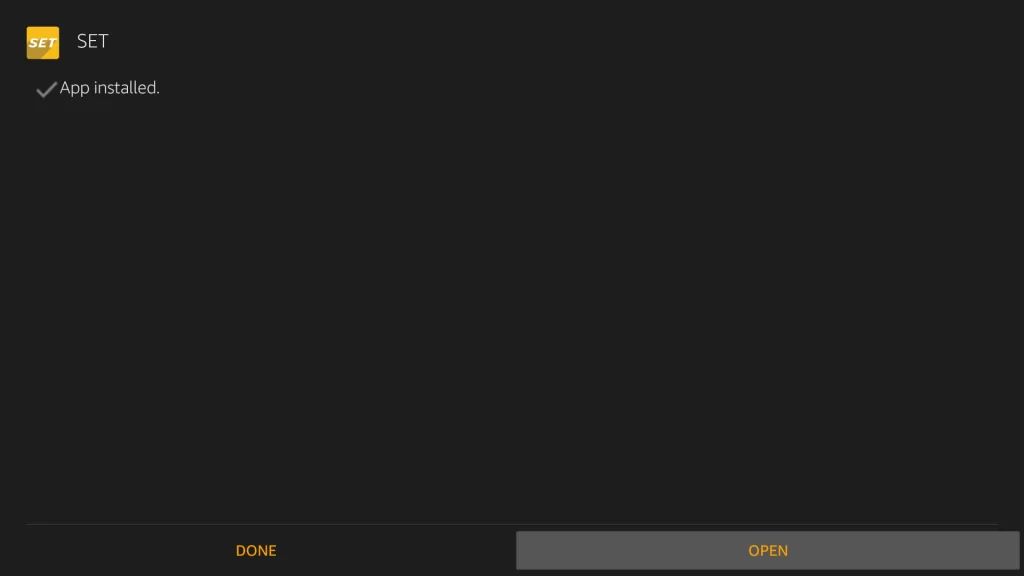
- Tap the OPEN button to open the Set TV IPTV app that has been successfully installed on your Fire TV stick. Enjoy!
Set TV app not working on FireStick
There are various reasons that it may not be working. Check out the few problems and their solutions to make Set IPTV work on FireStick.
The storage of the device is full
Delete the app’s data and cache. Reinstall the app after removing it. Start up your Fire TV device again. For 10 seconds, simultaneously press and hold the Select and Play/Pause buttons.
Check if the FireStick is causing the issue
If yes, then restart the FireStick and unplug the FireStick’s power supply to restart it. While the device is unplugged, hold the power button for 20 seconds. Replug it and turn it on.
Set TV Alternatives
While Set TV is a great choice, not everyone may find it as amusing as we do. If you are looking for alternatives, try out the following IPTV APKs mentioned below.
Conclusion
Hopefully, this guide will give you have got a pretty good idea of how to install the Set IPTV on FireStick and access the channels of your choice. Moreover, keep in mind that you need to use a VPN to protect your IP address.
Otherwise, any app downloaded from unknown sources can expose your IP, and it can breach your privacy.
Frequently Asked Questions
Does Set TV work on FireStick?
Yes, if you follow the installation process without a glitch, you can easily access your Set TV account on FireStick anytime.
Is Set TV free on Amazon Prime?
You need to pay for the subscription plan for the Set TV. Then, you can download the app FREE on Amazon Prime and access it using VPN.
How do I get Set TV on my FireStick without cable?
You don’t need cable. You can simply connect your Fire TV with a fast internet connection. Install the app using a downloader or any other unknown source you know. Once you install the APK, you can enjoy access to the various channels of Set IPTV.
Is the Set TV app free?
No, you have to pay for the subscription charges. For that, you need to create an account. Set it up by providing all the required information. Next is to pay for the monthly package. Now, use the same credentials to access the Set TV app anytime from your devices.