


Streaming platforms are in trend nowadays, and Gears TV is one of them. With Gears TV APK on FireStick, you can stream the channels from countries like the USA, UK, and Canada. It is free of cost, so you can easily install it on FireStick and smart TV and enjoy 400+ TV channels.
Many popular channels like Discovery, Disney, and WWE are present here, so with the help of Gears TV, you can stream all these channels on your smart TV. It is one of the best streaming services on Firestick.
Gears TV cannot be installed from Google play store or apple app store but it has a subscription plan of $20 (per month). 30 days trial period is available. In this period, too, you can watch every channel. To ensure complete safety, a VPN is a must before installation.
Always Use a VPN with Gears TV HD
When you connect to a VPN, your online identity gets hidden, allowing you to evade the limitations as well as the threats that lurk in cyberspace. With a VPN, you will also remain safe from all legal limitations and troubles. Get ExpressVPN for a secure streaming experience when using third-party apps on FireStick.
Features of Gears TV:
The features of Gears TV are given below:
- For streaming popular channels, you will need a conventional cable subscription, but with Gears TV on your Firestick, you can stream all the popular channels without conventional cable.
- Gears TV can stream HD as well as 1080p easily.
- All the categories of channels are present on Gears TV, including movies, sports, news, entertainment, and many more, as it has 400 channels.
- You will not face buffering issues on this streaming platforms.
- When your subscription is premium, you can unsubscribe at any time, and your money will be refunded.
How to Sign up for Gears TV?
- Install your Gears TV app
- Subscribe and select the service you wish to have
- Make your purchase.
- Check your email for login information
- You can then open the Gear TV app and enter your login credentials
How to Install Gears TV APK on your FireStick?
For downloading Gears TV APK on FireStick, you will have to use third-party sources. You can download Gears TV on FireStick in two ways:
- Using Kodi
- Using the Downloader
You will have to permit installing apps like this because the apps are from unknown sources. For turning on unknown sources on your Firestick, you can follow the instructions given below:
- Open the home screen of your Firestick, tap the settings.
- In the settings; choose My Fire TV.
- Tap on developer options in the list.
- Select the apps from unknown sources to turn them on.
- A window will pop up; tap on turn on.
Now we will explain the two ways to install Gears TV. With the help of downloader and Kodi.
Method 1: Install Gears TV APK on FireStick via Downloader
Gears TV APK URL:
Use this URL to download APK for Gears TV app: https://bit.ly/32vPEyQ
To download the apps that are not available on amazon can be downloaded with the help of the downloader. It is the best-known app for this purpose. Install the downloader app.
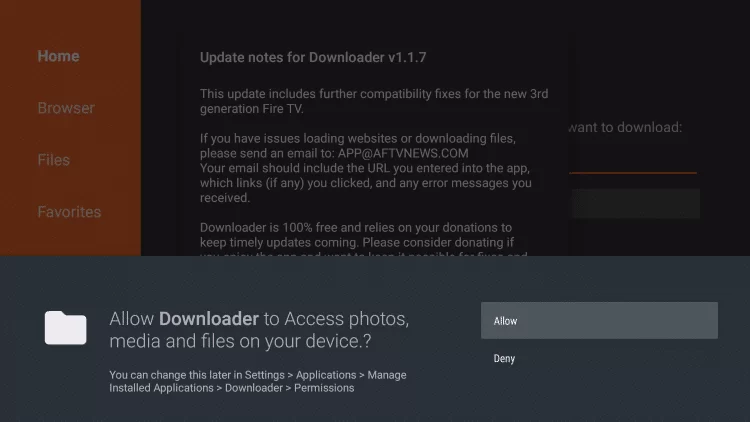
- Open the downloader app if any pop-up appears. Allow it.
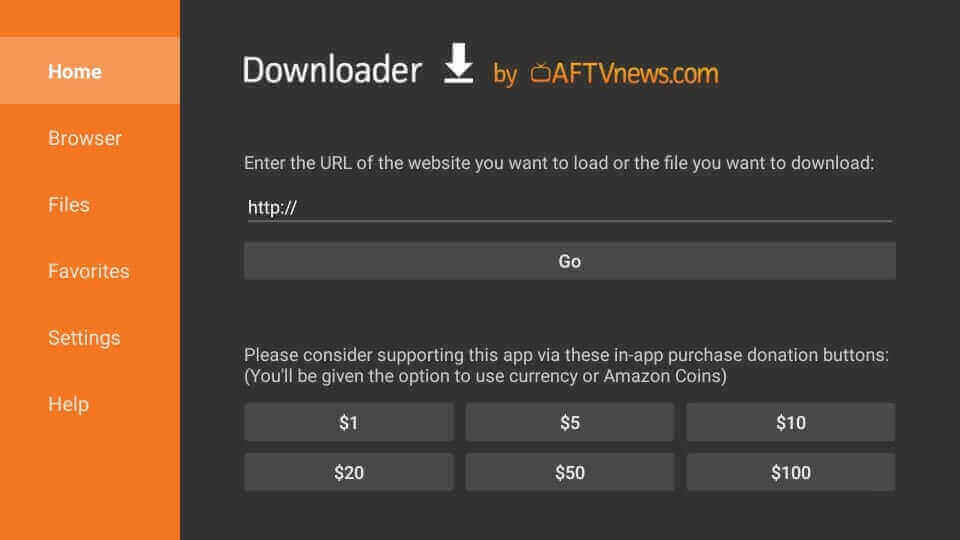
- Click the home button on the search bar; write Gears TV APK URL (https://bit.ly/32vPEyQ), click go.
- You will have to wait a few second for the download to be completed.
- Once the download is completed, tap on install.
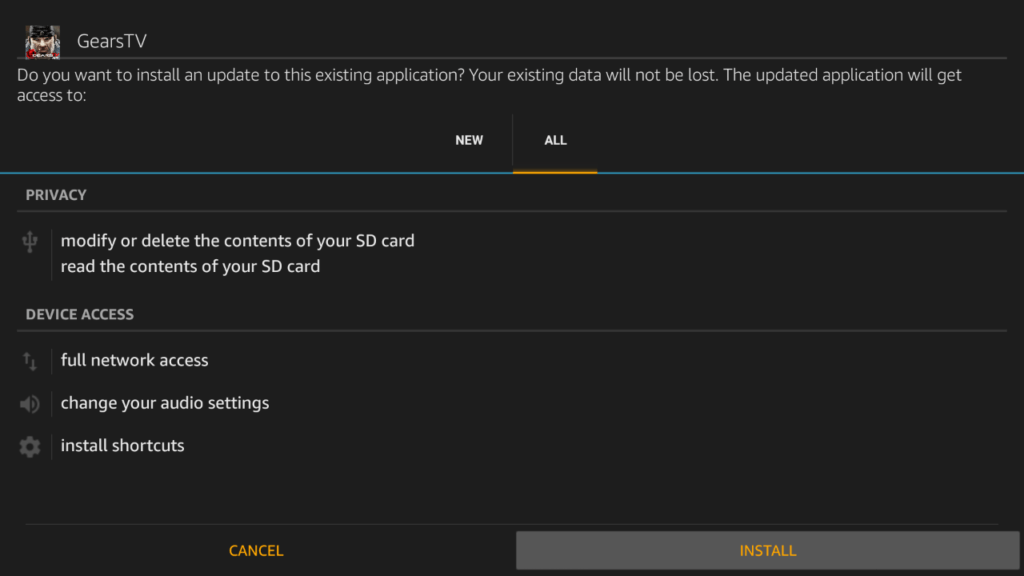
- After the installation, click on open to open the app.
Enjoy the streaming on your firestick TV.
Method 2: Install Gears TV with Kodi
Gears TV Repository URL:
Use this URL to download Gears TV from Repository: https://targetcreates.com/repo
The instructions for this method are given below:
- On your Firestick TV, open the Kodi app.
- Click on the system setting on your settings.
- Click on add-ons; you can turn on the unknown sources.
- Tap on yes to confirm your selection.
- Now, return to your setting menu and click on file manager.
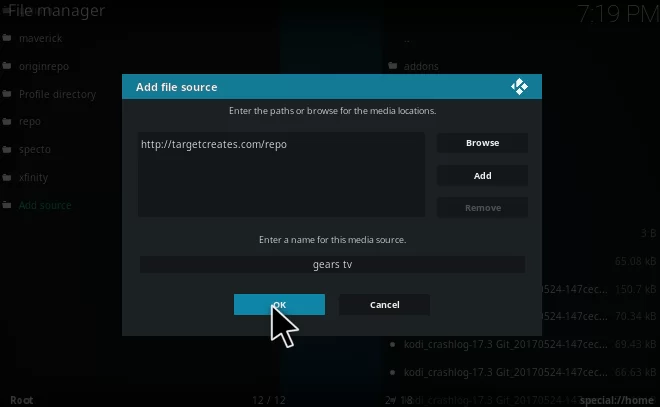
- Tap on add source option, and add the URL (https://targetcreates.com/repo)
- Write Gears TV in the name bar. Then tap on the ok button.
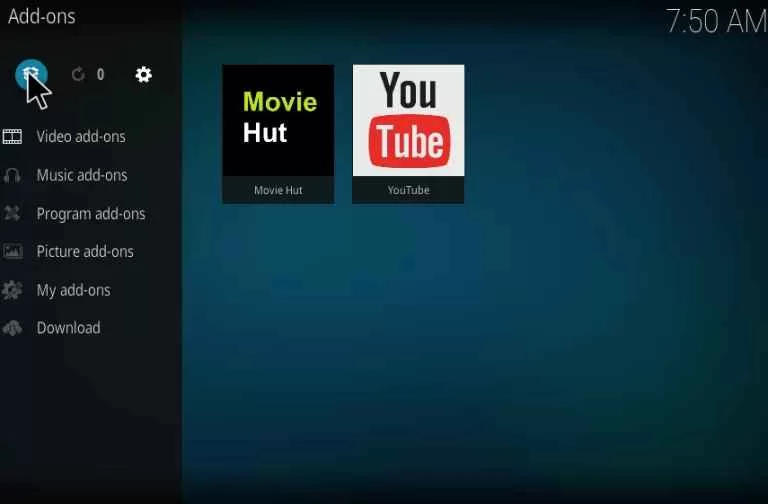
- Go to the home screen and click on the add-ons option.
- Now, tap on the package installer icon.
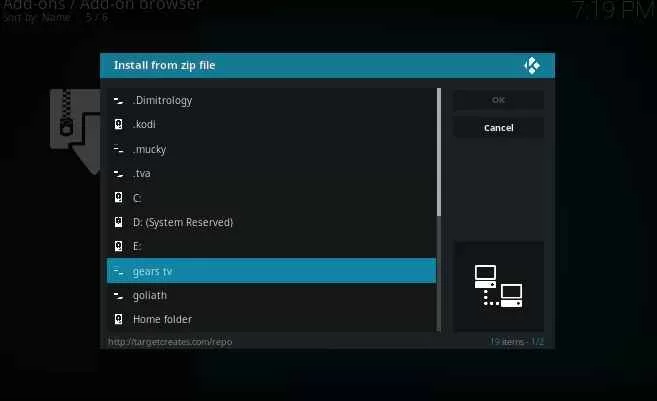
- Click on install from the zip file.
- Select Gears TV.
- Tap on repository.gearstv zip file.
- Now, tap on OK to install the Gears TV repository.
- Tap on the install the repository option.
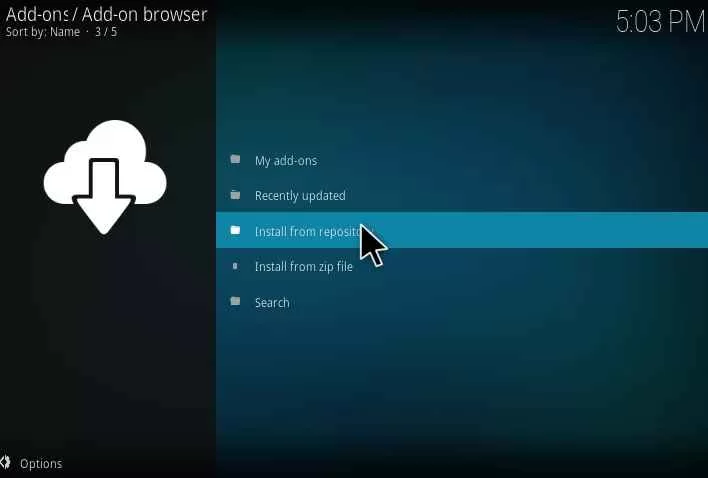
- Select Gears TV repository.
- Tap on gears TV in the video add-ons section.
- Tap on the install button.
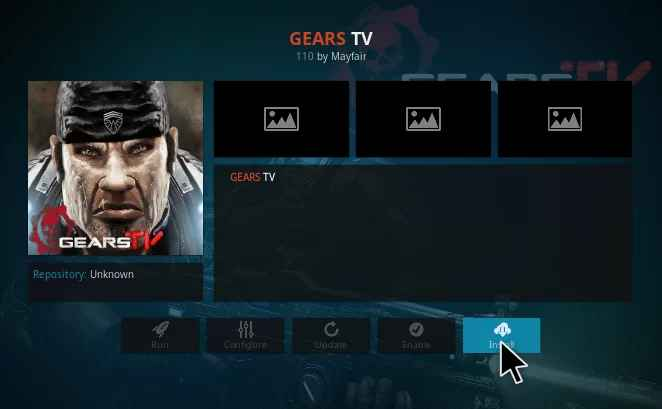
- Now, the Gears TV add-on will be installed in a few seconds on your Kodi.
- You will have to launch the Gears TV and then add the login credentials.
Now, you can watch the shows of your choice with Gears TV.
Why do you need a VPN to Watch Gears TV on FireStick?
VPN can save your privacy. The government and ISPs can see your streaming history, so you can use VPN on your FireStick to secure it.
VPNs also help in watching shows that are not available in your region. So, it is safe to use it while watching copyrighted or geo-restricted content. For your ease, we recommend ExpressVPN. It is the fastest and most secure VPN. To install express VPN on your Firestick follow the instructions below.
Note: ExpressVPN comes with a 30-day money-back guarantee. If you do not like the experience, you can ask for a refund within 30 days. It will be free of cost if you do not like it.
How to Install ExpressVPN on FireStick?
- Get ExpressVPN for FireStick.
- Download & Install the app on your device.
- Launch the app and connect to the US server.
- Launch Gears TV app & start streaming.
Frequently Asked Questions:
Is Gears TV legal?
Streaming services are legal if they have proper licensing for the channels they offer. In the case of Gears TV, legality is questionable. Anyway, you can watch tv shows on it with a $20 subscription.
Is the Gear TV reloaded discontinued?
Gear TV reload is discontinued, FBI has seized many of their assets. It is safe to use VPN for such services. It was discontinued on 5th September, the reasons are unknown, but it can be due to privacy reasons.