



Get ready to experience a world of endless entertainment with Eternal IPTV! With over 7,000 live TV channels and 13,000+ VOD options from different countries, you’ll never run out of things to watch.
And the best part? You don’t have to break the bank to enjoy it all. The latest Eternal TV V2.5 is a cost-effective service with a monthly charge for as low as $6.5. And if you’re not quite ready to commit, you can always take advantage of the 24-hour free trial!
Always Use a VPN with Eternal IPTV
When you connect to a VPN, your online identity gets hidden, allowing you to evade the limitations as well as the threats that lurk in cyberspace. With a VPN, you will also remain safe from all legal limitations and troubles. Get ExpressVPN for a secure streaming experience when using third-party apps on FireStick.
Imagine having access to popular cable TV channels right at your fingertips, without the hassle and expense of traditional cable. From Canada to South Asia, Europe to South East Asia, and many more, Eternal TV brings a world of entertainment to your FireStick.
Continue reading to find out more about Eternal TV and its installation guide.
Features of Eternal IPTV
Eternal TV is a streaming service that provides a lot of benefits and features at a very affordable price. Here are some mention-worthy features that it provides;
- 7000+ Channel Selection and 13000+ on-demand content from different countries.
- The service has a simple and easy-to-use interface that makes navigation a breeze.
- Eternal IPTV provides high-quality streaming with minimal buffering, ensuring a seamless viewing experience.
- The service is regularly updated with new channels and features, ensuring that users have access to the latest content.
- Eternal IPTV can be accessed on multiple devices.
- Eternal IPTV is offered at an affordable price, making it an attractive option for cord-cutters.
- The service offers a 24-hour free trial, allowing users to test the service before committing to a subscription.
- The service includes an electronic program guide that makes it easy to find and watch your favorite shows.
Eternal IPTV Pricing Plans
Eternal IPTV provides various options in their subscription plans including money-back guarantee.

- $8.5 monthly with 7 Days Money-back
- $24 3 months ($8 monthly) with 15 Days Money-back
- $45 6 months ($7.5 monthly) with 15 Days Money-back
- $79.9 1 year ($6.5 monthly) with 15 Days Money-back
How to Install Eternal IPTV on FireStick?
Since Eternal IPTV is not available on the official Amazon App Store you will have to sideload the app using a downloader.
It is always recommended to use a trusted VPN like ExpressVPN whenever you sideload an application in order to keep you safe from any malware that can harm your system and cause a privacy breach.
Eternal IPTV APK URL:
Use this URL to download the APK for IPTV: https://eternaliptv.co/eternaliptv.apk
Here’s a quick guide to install Eternal IPTV on your FireStick:
- On your fireStick Homescreen, go to find then search.
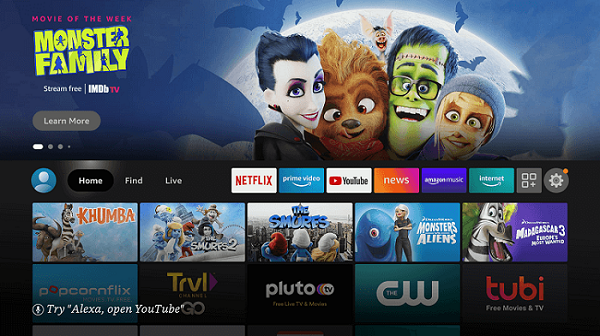
- Type Downloader on to the search bar and press go

- Select the Downloader app under Apps & Games and download it.
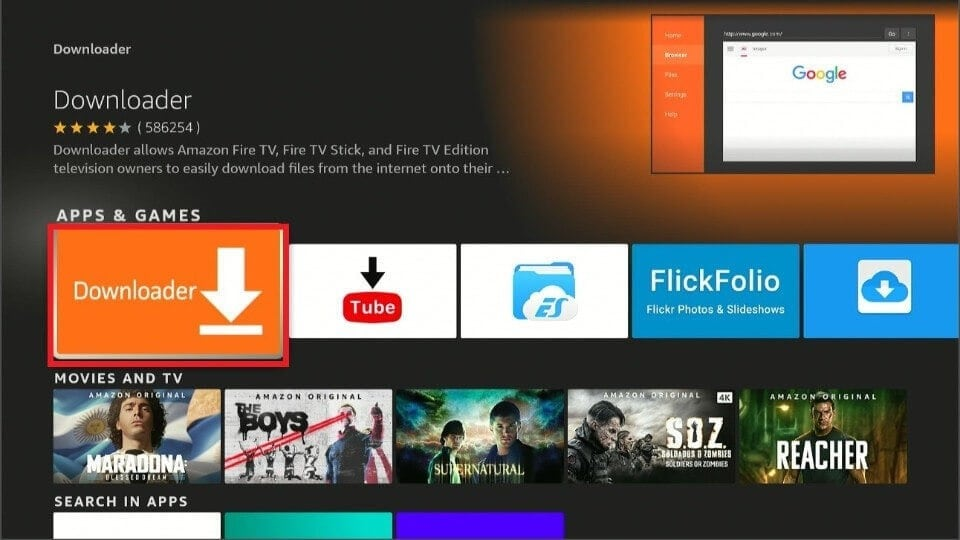
- After the download finishes, go back to Fire TV’s home screen, select Settings.
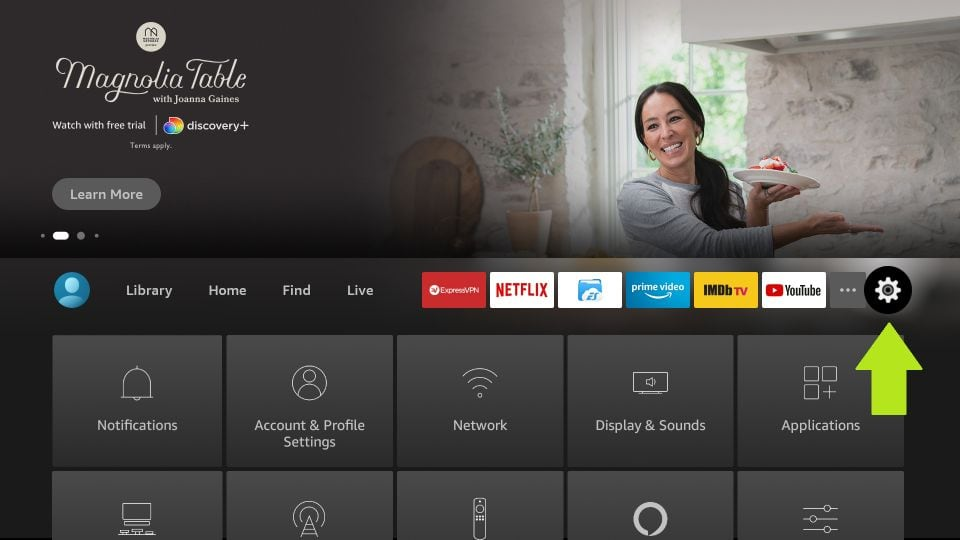
- Then, choose “My Fire TV”.
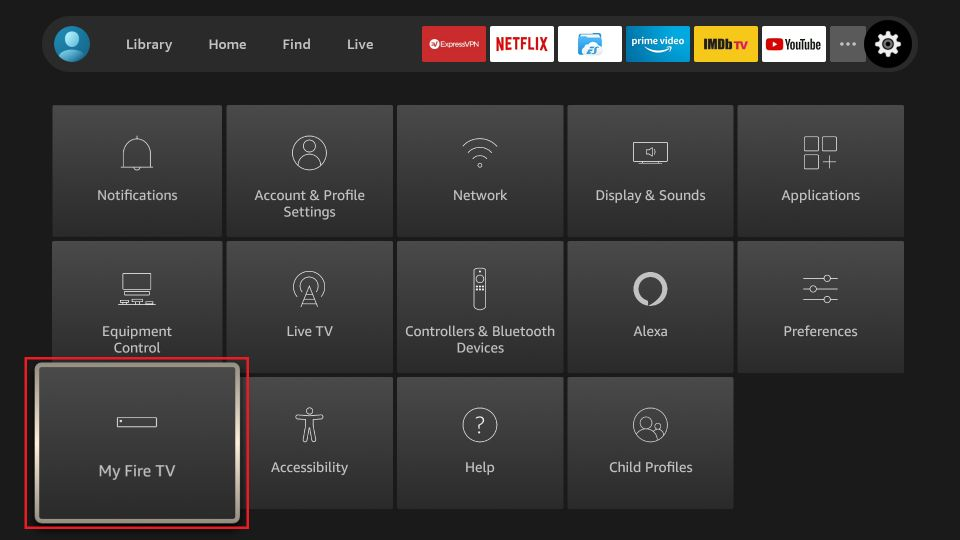
- Next, select “Developer options”.
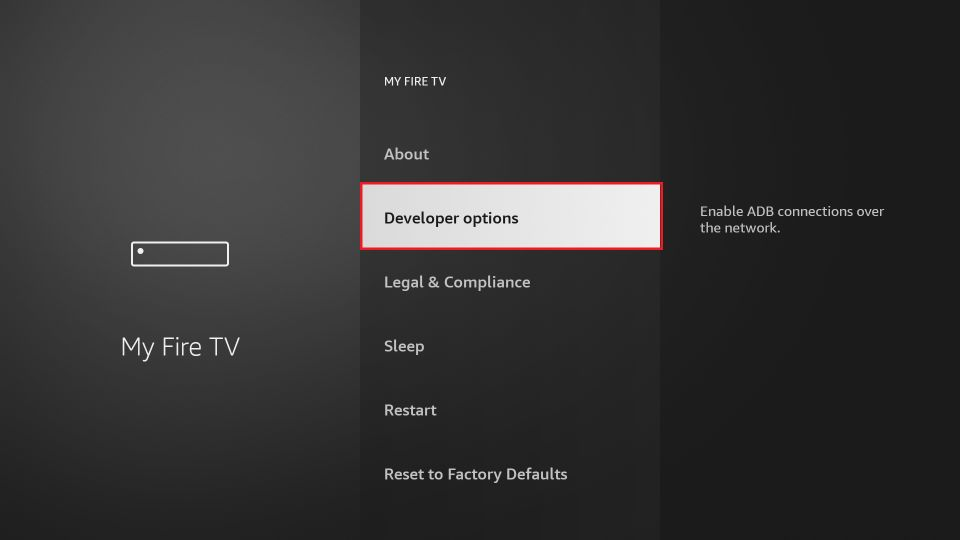
- Now, choose the “Install Unknown Apps” option.
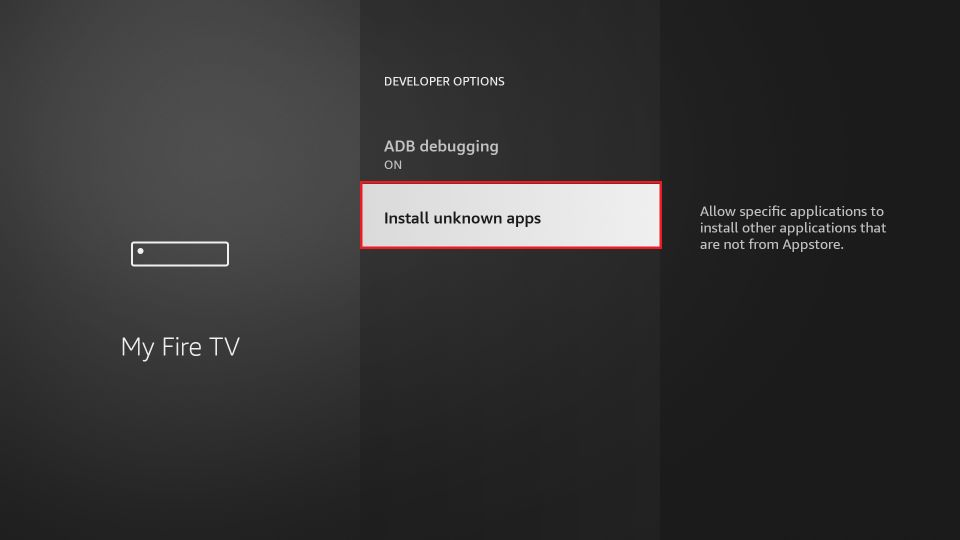
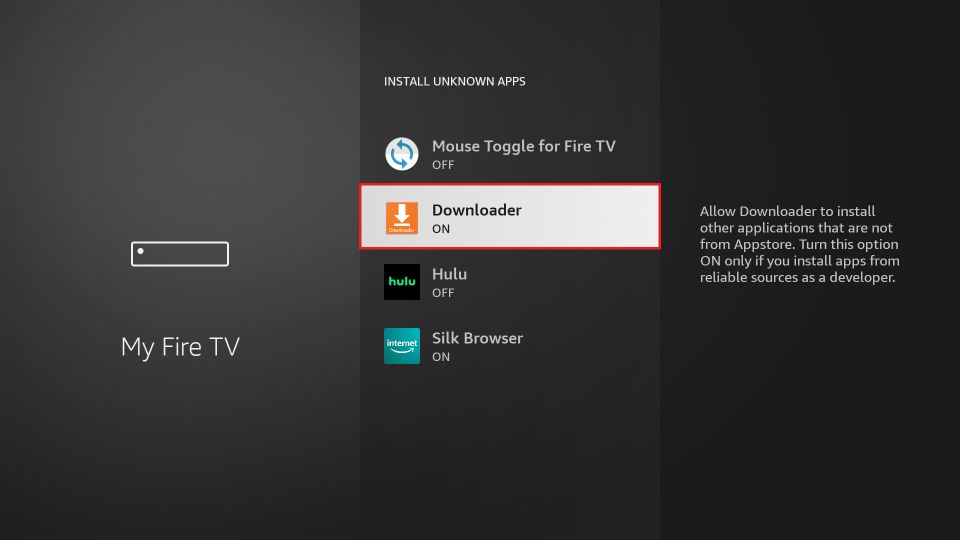
- Now, select the Downloader app and turn it on.
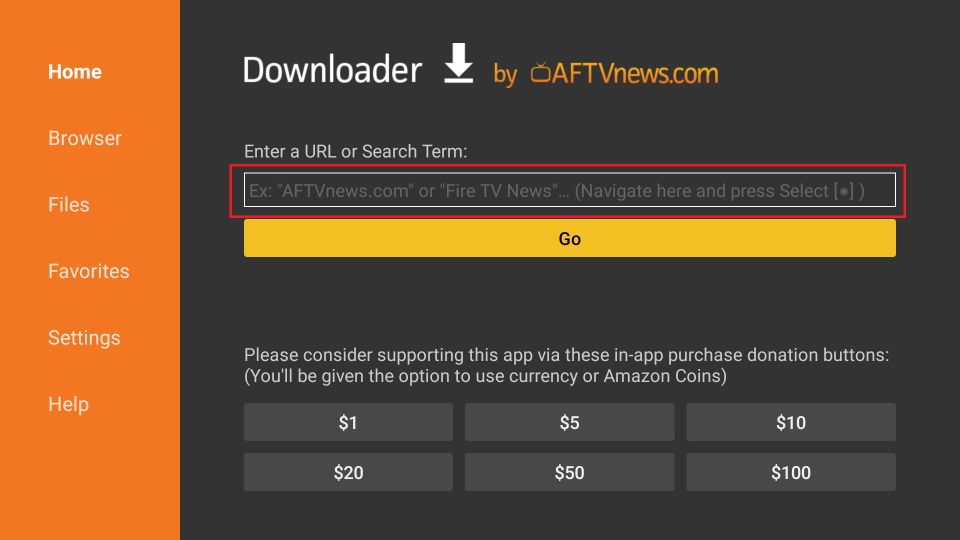
- Now open Downloader app, Type the Eternal IPTV APK (https://eternaliptv.co/eternaliptv.apk) in the URL bar and press Go
- Downloading will begin. Wait for it to end then press “Install”
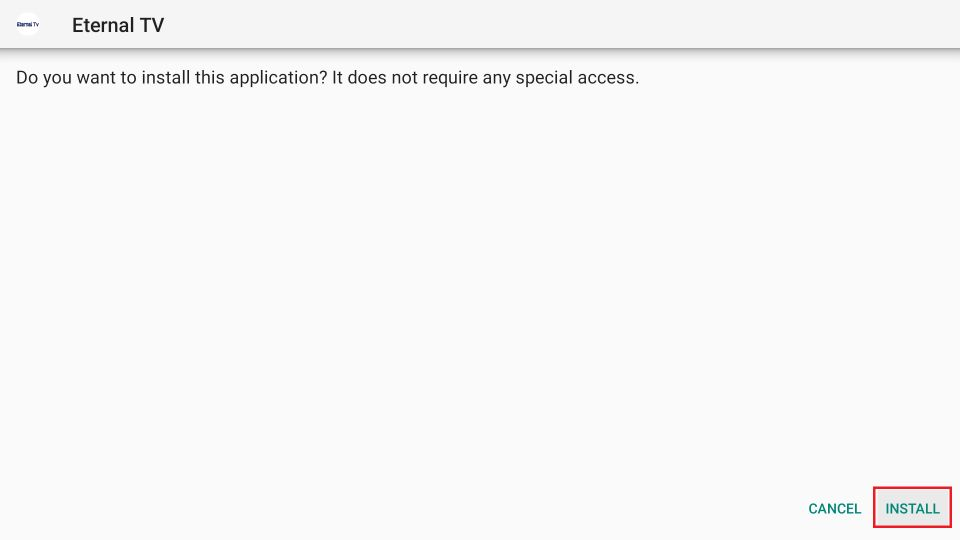
- Click Done
- The next step is optional but it clears up space
- Delete the Eternal TV APK.
How to Access and use Eternal TV on FireStick?
Now that you’ve installed the App, these few easy steps will allow you to access and use Eternal TV on FireStick.
- Go to Firestick home and then Settings
- Click on the Applications
- Then select the “Manage Installed Apps”
- Select “Eternal TV”
- Launch the application
- Sign in to your Eternal TV account and Enjoy streaming.
Eternal TV Alternatives
Here are a few alternatives to Eternal IPTV
- Titanium TV
- Venom IPTV
- OutLaw IPTV
- TeaTV App
- ShowBox
- Viva TV
Frequently Asked Questions
Is Eternal TV legal?
Eternal IPTV is completely safe for use.It provides the latest movies and TV shows along with Live TV Streaming that can only be found on expensive premium streaming services.
Can you get Eternal TV on Roku?
Yes, Eternal TV app is available on all devices including Roku, smartphones, computers, tablets, smart TVs, Android TV and more.
Does Eternal IPTV offer a free trial?
Yes, Eternal IPTV offers a 24 hour free trial for you to try out their service before making a commitment. It also offers a 7 or 15 day money-back guarantee depending on your subscription plan.