



In the past, individuals would watch movies and other entertainment on cable TV or in theaters. With the development of technology, there are now various simple ways to watch your preferred material while relaxing in your home.
A common streaming device is the FireStick, which gives you access to a variety of video streaming, audio streaming, and gaming services.
Disney Plus is also viewable on it, which is one of the major entertainment websites on the market. By using the instructions in this guide, you can install Disney+ on your device.
Disney Plus Overview
On November 12, 2019, Amazon devices, including FireStick, started to support the on-demand, online streaming service Disney+ Since then, it has risen to the top of the list of Amazon Store services in terms of download quantity. This recently launched service now competes with major streaming services like Netflix, Hulu, Apple TV, and Amazon Prime.
Several fascinating original series from the Marvel Cinematic Universe are available on Disney+. National Geographic and Pixar are featured as well. The whole catalog of Star Wars films and specials is also available for viewing.
The reason behind this is that Disney+ is simple to set up and use on an Amazon FireStick device; additionally, it has integrated Alexa compatibility, which overall increases its convenience.
Features of Disney Plus on FireStick
Like other popular streaming applications, Disney Plus has most of the basic features, but they also have some standout features, which make them different from the other competitors.
The main headline features that Disney Plus consists of are:
- Four connection streams
- Daily update of content
- Numerous original movies and shows
- Availability of Dolby Atmos
- HDR 10 and Dolby vision support
- Various accessibility features, including offline viewing
How to Install Disney Plus on FireStick and Android TV?
The installation procedure of the Disney+ application on the Amazon FireStick is relatively simple as there are not a lot of steps involved.
Both the devices have similar interfaces; therefore, the installation procedure of the Disney + application on both of them is exactly the same, except for some minute details. The procedure is explained below:
- On the amazon Firestick device, go to the home menu and there go to the search bar
- Type in “Disney Plus”
- Click the first suggestion that pops up
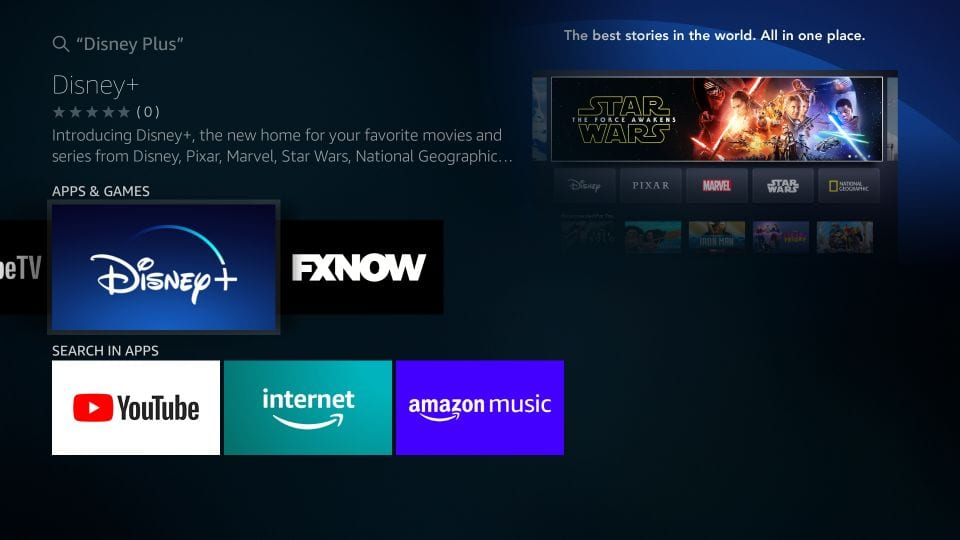
- Select get, which will initiate your download procedure
- Once the download procedure initiates, wait for a few seconds until the installation procedure is finished
- Now you can easily access the application from the “My apps” folder whenever you want and watch your favorite shows
Disney Plus Pricing Plans and Sign up
In order to access content on Disney+, you need to get an account, so a sign-up is required. Only the United States, Canada, and the Netherlands received the original releases of Disney+. It is now available in some European nations, including the UK, New Zealand, Australia, Puerto Rico, and India (through Hotstar), and Puerto Rico. In the US, Disney+ is $6.99 per month.
You can also choose the $69.99 annual plan, which will save you about $14. It costs $8.99 per month and $89.99 annually in Canada. You can estimate the price in your region by converting the above prices to your local currency.
If it is not available in your region, then there is no issue, as you can use a reliable VPN like ExpressVPN to connect to any of the above-mentioned countries.
How to watch Disney+ anywhere?

Despite access to some regions, you can easily access Disney Plus from your home by connecting your device to ExpressVPN. A VPN will mask your IP address and temporarily change to another region, allowing you to access Disney Plus content.
A VPN will provide you security, speed, and connectivity at the same time, that too at a reasonable price. You can download the ExpressVPN application on your device by following the steps mentioned below:
How to Watch Disney Plus with ExpressVPN on FireStick Anywhere?
- Get ExpressVPN .
- Download ExpressVPN app on FireStick.
- Launch the app and connect to a US server.
- Launch Disney Plus app and stream content without any restrictions!
What to Watch on Disney Plus?
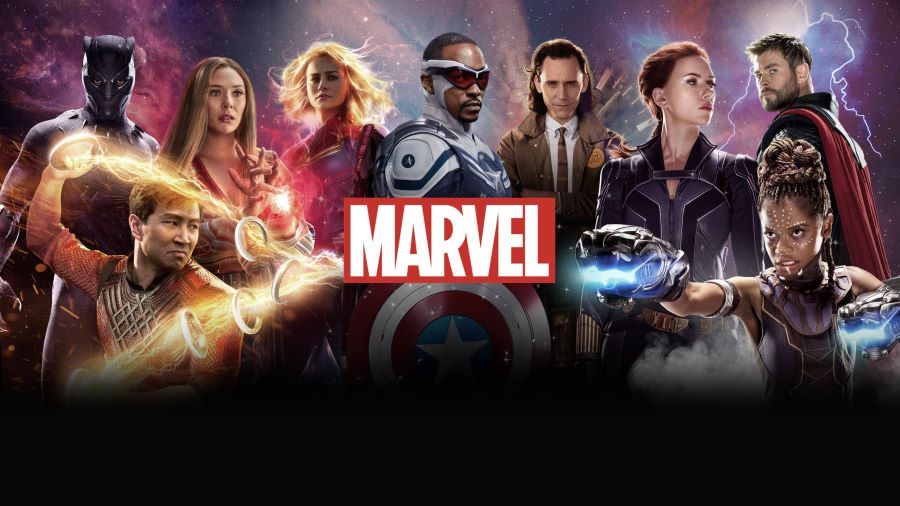
The Amazon FireStick offers a vast selection of media as you have access to the whole Disney catalog. Then there are the Marvel TV programs and films, including Captain Marvel, Avengers: Endgame, Wakanda Forever, Shang-Chi and the Legend of the Ten Rings and others.
Also, the whole Star Wars catalog, including the Trilogy, is available for streaming. The Mandalorian, Lego Star Wars: All-Stars, Star Wars Resistance, and other shows are available for streaming. You can also watch well-known series like The Simpsons because Disney bought Fox.
Frequently Asked Questions
Are Disney+ originals shows available on Netflix?
Yes, sometimes Disney+ Originals content is available on Netflix, but usually, it is available on the main application.
Is the Disney+ application available worldwide?
No, the application is not available internationally, as they are only available in selected regions.
Conclusion
Disney plus will give you a number of options for your entertainment and you can get a lot more if you have the premium subscription of ExpressVPN.
The shows that are not available in your region will become available to you once you install the VPN. Make sure to enjoy the platform on your device with ExpressVPN.